Tyre Pressure Assistant
The Tyre Pressure Assistant calculates the optimal tyre pressure for your front and rear wheel — based on your body weight, bike weight, tyre width, and riding style. The result is shown in both bar and psi and can be saved directly as a setup.
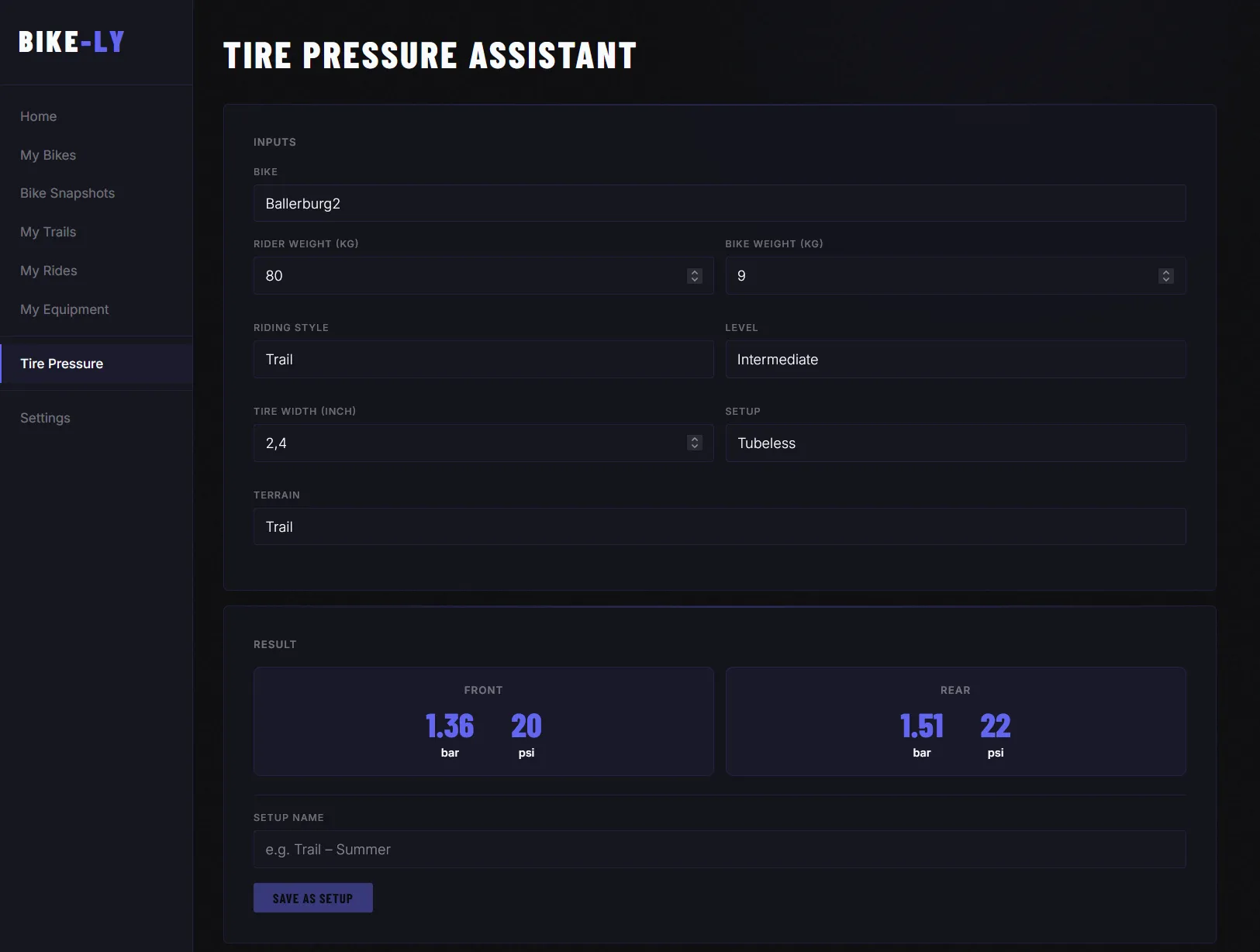
Inputs
The assistant takes the following parameters into account:
- Rider weight — automatically pulled from your profile, but can be adjusted
- Bike weight — loaded from the selected bike
- Tyre width — in inches (e.g. 2.4”)
- Tubeless — whether you are running tubeless tyres
- Riding style — Trail, Enduro, Downhill, XC, or Freeride
- Skill level — Beginner, Intermediate, Advanced, or Pro
- Terrain — Trail or Gravel
Result
Once all values are entered, the assistant instantly displays the recommended pressure for front and rear tyre — in both bar and psi.
Saving a Setup
You can save the calculated result under a name as a pressure setup. Saved setups appear in the Tyre Pressure section on your bike’s detail page and are always available for quick reference.
Calculation formula
The assistant uses a physics-based formula — not an AI model, but a deterministic calculation:
1. System weight
system_kg = rider_kg + bike_kg2. Base pressure (rear)
base_rear = 0.013 × system_kg + 0.353. Corrections (additive on base_rear)
| Parameter | Value | Correction |
|---|---|---|
| Tyre width | per inch below 2.4” | (2.4 − width_inch) × 0.5 |
| Riding style | XC | +0.20 bar |
| Trail | ±0 | |
| Enduro | −0.05 bar | |
| Downhill | −0.15 bar | |
| Freeride | −0.10 bar | |
| Skill level | Beginner | +0.10 bar |
| Intermediate | ±0 | |
| Advanced | −0.05 bar | |
| Pro | −0.10 bar | |
| Tyre type | Tubeless | ±0 |
| Tubed | +0.20 bar |
4. Front tyre pressure
front = rear × 0.905. Limits (clamp)
Rear: 0.8 – 3.0 bar
Front: 0.7 – 2.8 bar
The calculated value is then output in bar (1 decimal place) and psi (rounded).
Missing something? New feature? More data?
Are there options missing or do you have an idea for an improvement? Feel free to reach out via the contact form — we are actively developing RyTracks and welcome every suggestion.